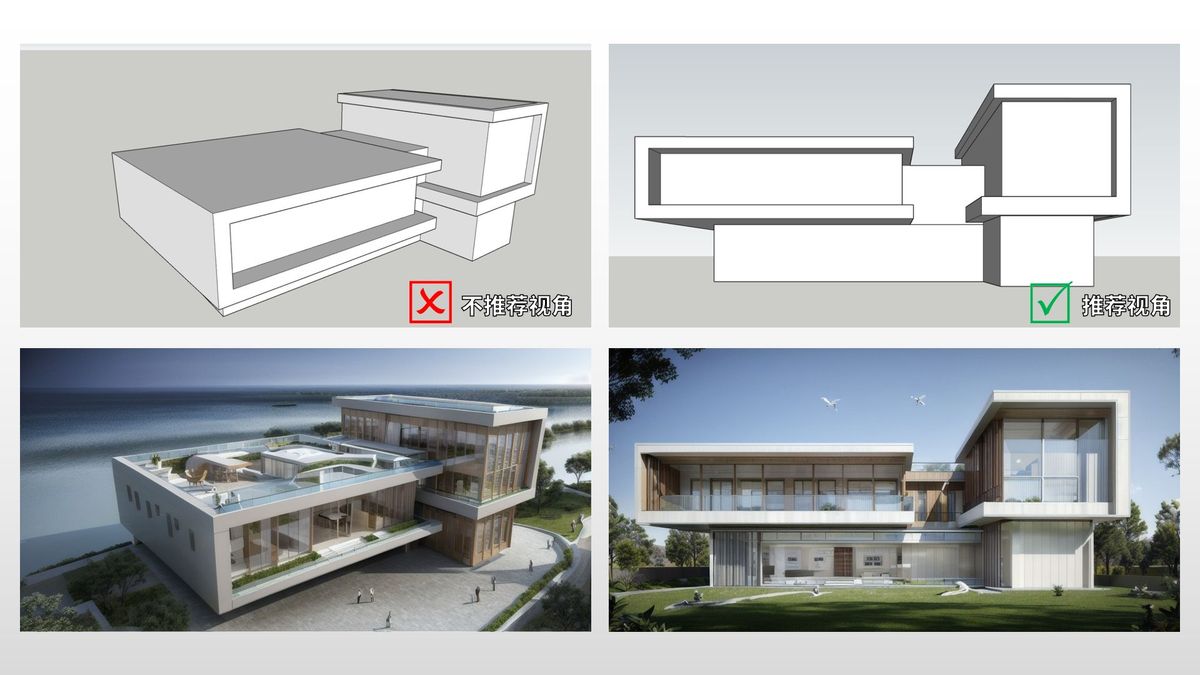
1. The angle of the original image and model is very important
Correct the angle! The recommended viewing angle (one point perspective, two-point perspective) can achieve the best AI effect. SketchUp menu: Camera>Two point perspective to adjust the model.
2. Composition is important
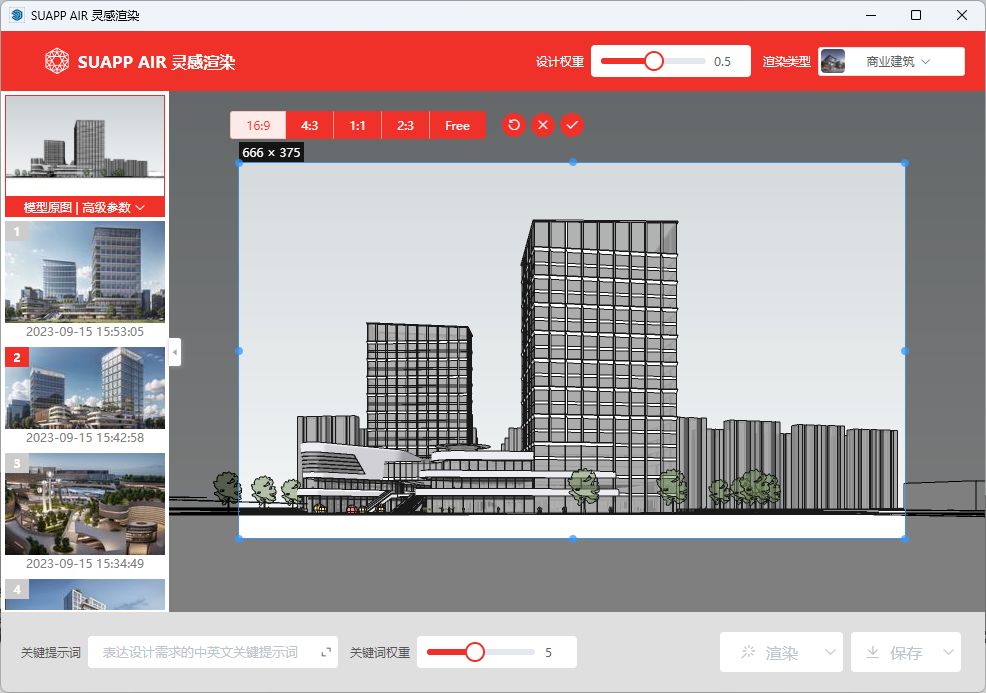
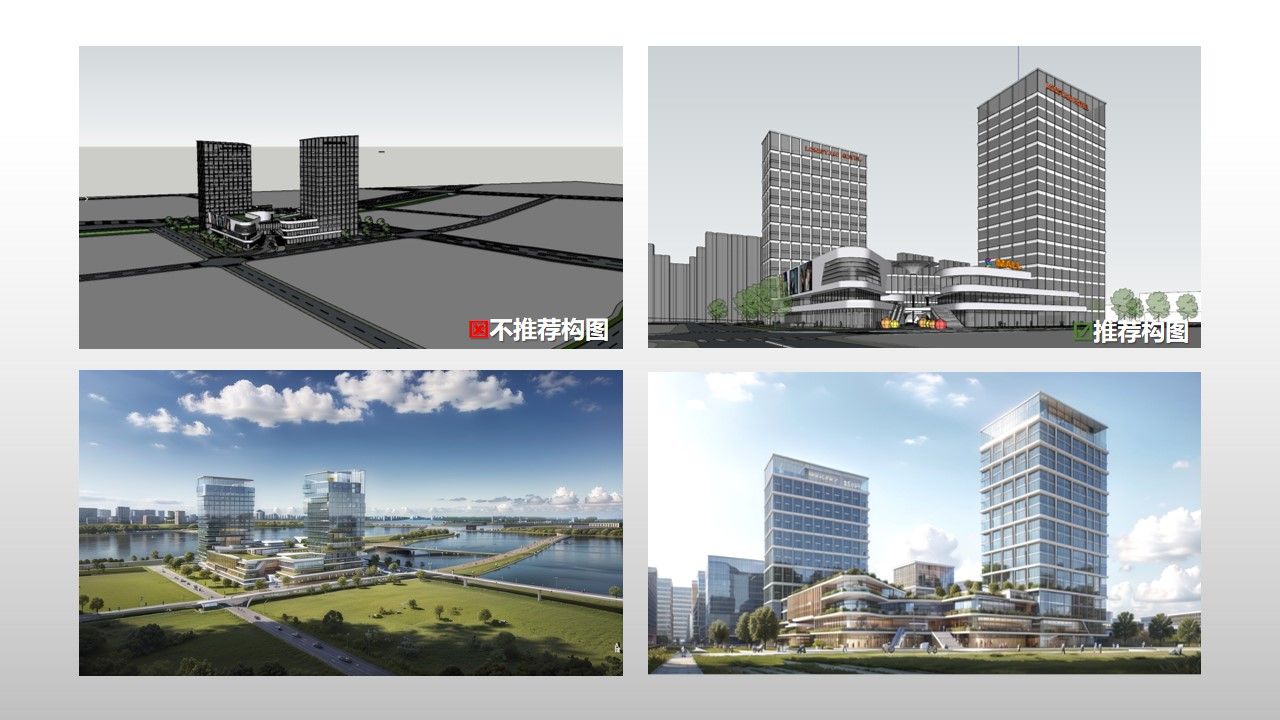
The rendering object needs to occupy the main position and cannot be too far away. The smaller the object, the lower the AI recognition degree and the higher the possibility of freely expressing it into an image. When the original composition is not very good, the cropping function can be used.
Attention: Horizontal composition has better effects than vertical composition. When importing images, try to crop them into a suitable horizontal image, preferably around 9:16.
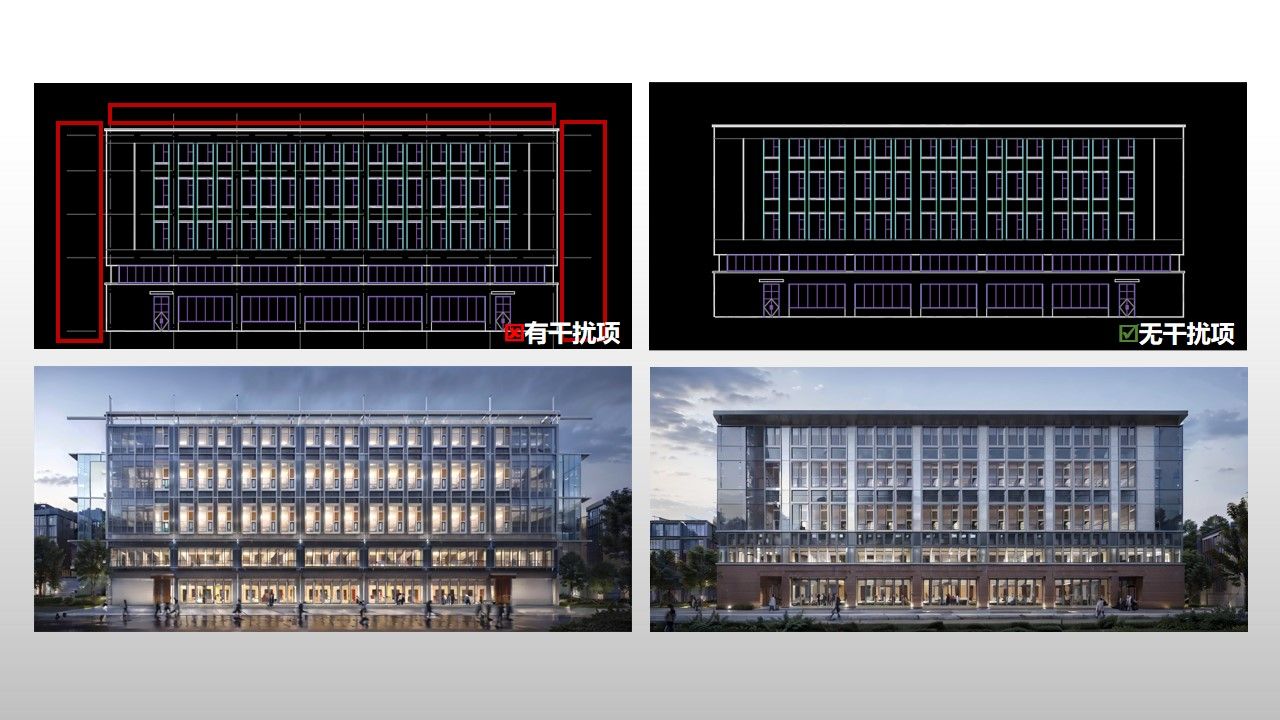
3. Do not have any interference items
Lines, text, annotations, etc. that are unrelated to the surface of the image may become interference items for AI recognition. For models or original images that require inspiration rendering, try to remove these interferences before rendering.
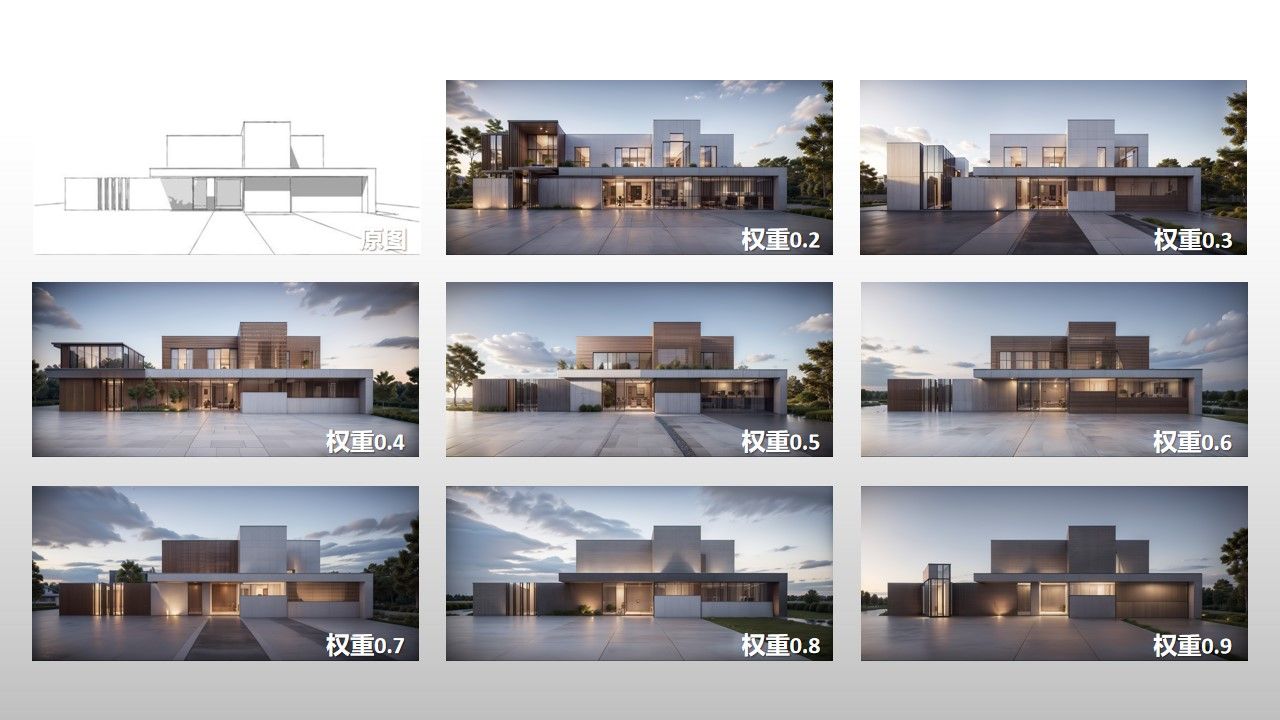
4. Weight parameter adjustment
★ Design weight: The larger the value, the closer it is to the original model, but when the value is high, the rendering effect may decrease; The smaller the value, the more AI can perform, and sometimes there may be surprises in the output effect.
★ Keyword weight: The larger the value, the more prominent the keyword effect; The smaller the value, the less obvious the keyword effect.
But AI is like opening a blind box, and the above settings still require specific drawings and analysis. In general, first select the rendering type and then default the parameters (without adjustment) to render several times, check the AI's association generation standard for the current drawing, and then adjust the parameters. Trying more is the key to producing better images.
5. Appropriate use of keywords
You don't need any keywords. First, select the rendering type in the upper right corner and render a few images with default parameters to see the degree and standard of AI recognition. Then try using keywords. Please note that it is best to use nouns for keywords (such as "dusk, sea, dining table, pavement", etc.) and avoid using phrases as much as possible.
Attention: The role of keywords is not as significant as imagined. Architectural design is a discipline mainly focused on graphic expression, and giving AI a stack of design explanations is not very useful. It is better to draw a few strokes and add reference objects to control it.

6. Try other rendering types more
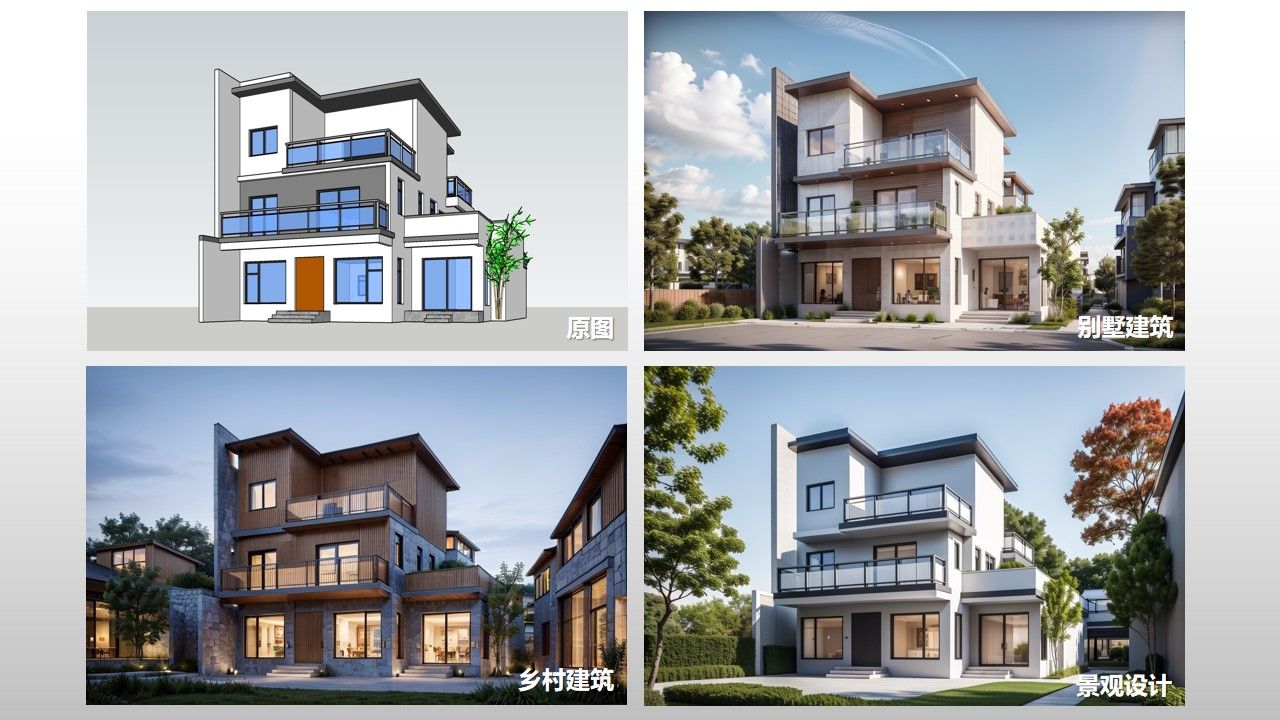
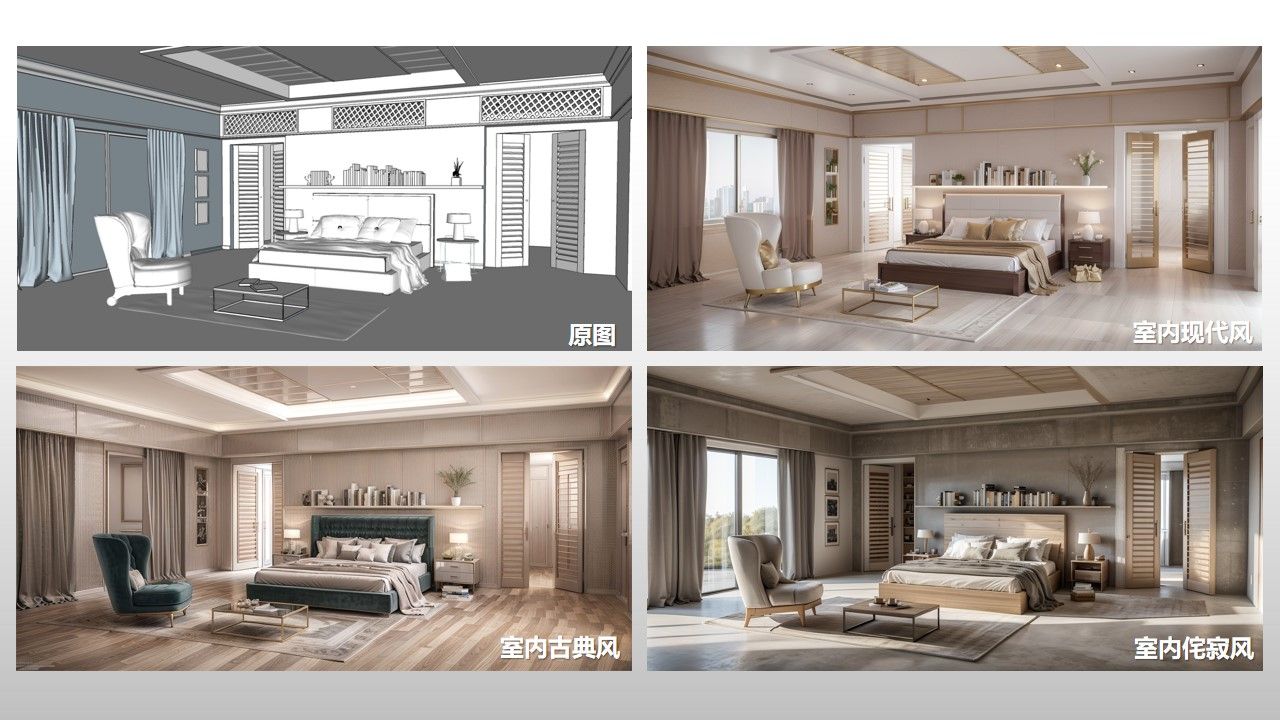
Architecture can be rendered using various types, such as villa architecture, rural architecture, Chinese architecture, and even landscape design; Indoor images can also be rendered in different styles, such as modern, cream, wabi sabi, etc; Don't define the original design, let AI generate more sparks and surprises!
7. Selection of Atmosphere Reference Picture
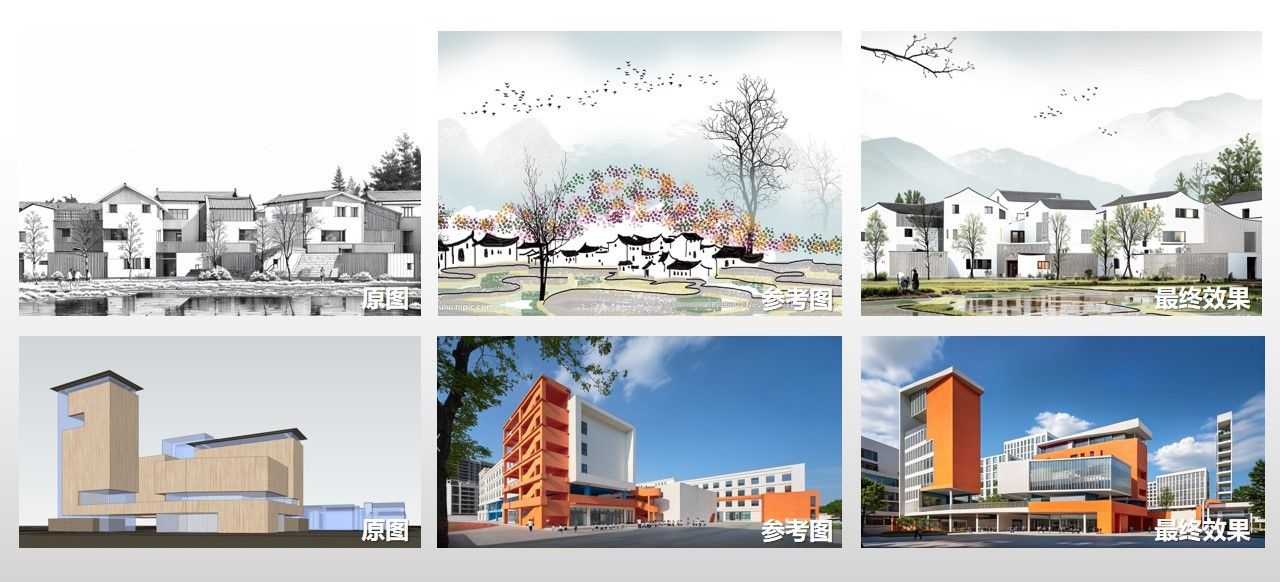
The clearer the reference image, the better the effect;
The more obvious the reference image style, the better the effect;
The closer the angle between the reference image and the original image, the better the effect.
The above suggestions are for reference only~
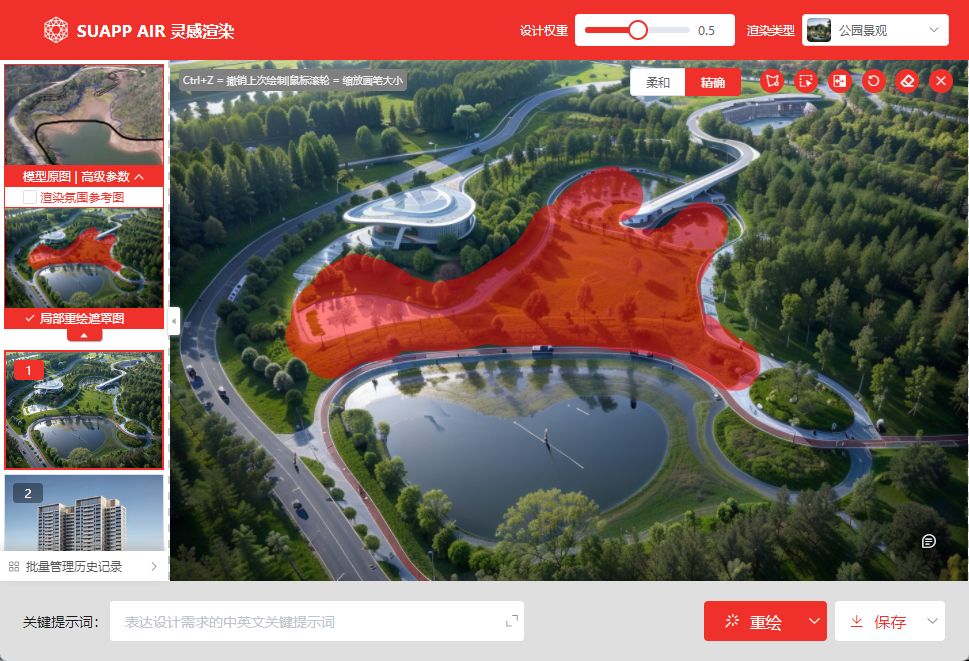
8. Attention points for partial redrawing
After using local redrawing, the smeared parts can be controlled using keywords. After redrawing, there may be slight adjustments in areas where there is no redrawing, because AI needs to naturally connect and style the redrawn areas, which is normal.
9. The trick of "making something out of nothing"
How to quickly transform an empty room into a complete interior design?
1. You can skillfully use the SUMOD model component library, keywords for inspiration rendering, and indoor markers to generate preliminary renderings, and then iteratively render them. 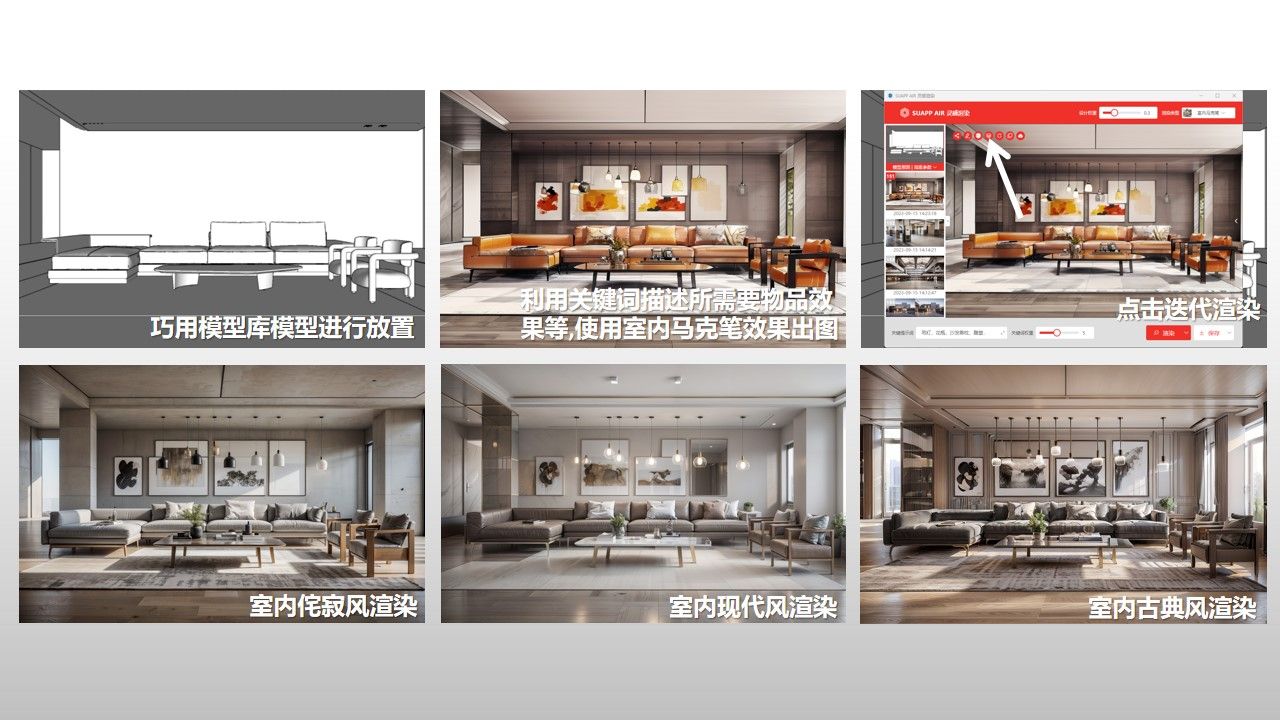
2. You can also use the graffiti function to simply draw furniture such as sofas, coffee tables, and seats, and then render the results.
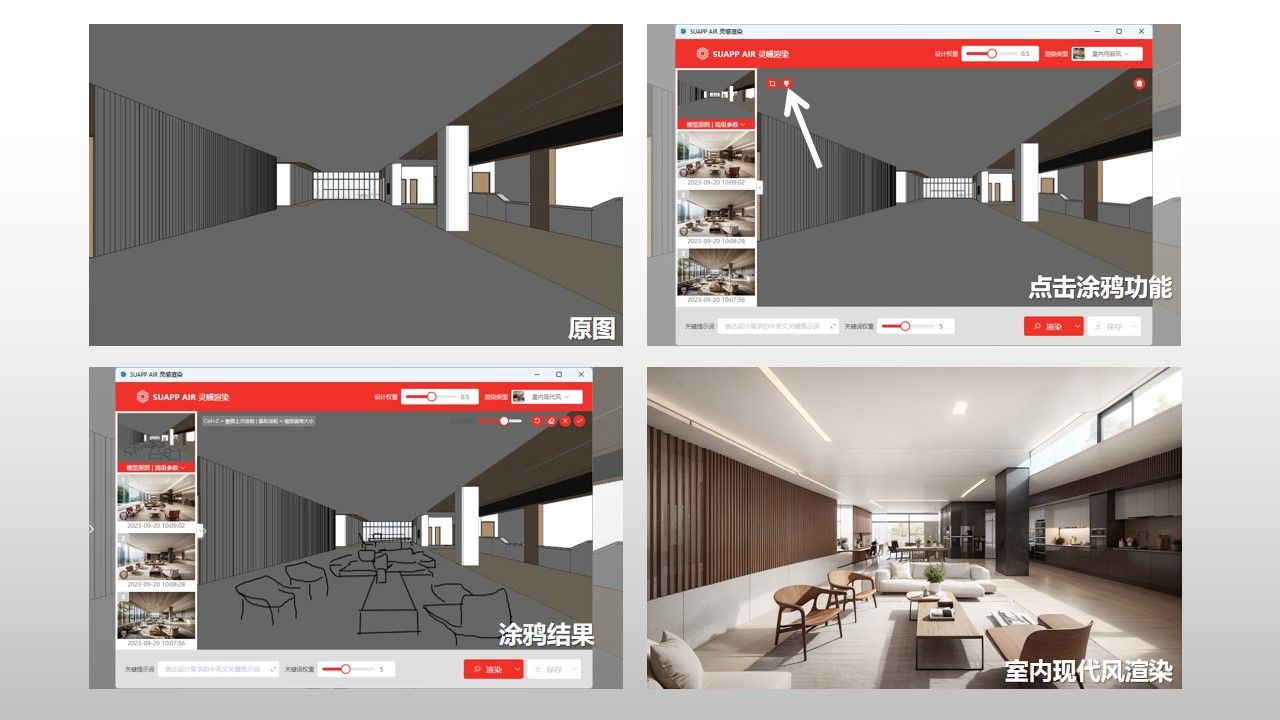
In short, the original model/image is very important, and the function of inspiration rendering is cleverly used. Using the posture of a real rendering image to use inspiration rendering will not result in poor effects.
Be careful with old versions! Shows the old version for reference and testing purposes, you should use the latest version.
-
Version2.5.1107
(简体中文)
Install
-
Release date: 2023-4-22 21:35
File size: 99.28 KB
-
OS: Windows
Mac
Applicable version: 23
22
21
20
- 线上即时更新!关注微信群掌握更新资讯!


 川公网安备51010702043892号 )


点插件说需要登录的,应该是SUAPP版本太低,更新一下。